
Key Takeaways
- Amazon A+ Content transforms standard product descriptions into visual conversion landing pages, driving higher unit session percentages and lowering advertising ACoS.
- Formerly known as Enhanced Brand Content (EBC), A+ Content allows brand-registered sellers and vendors to integrate custom imagery, video modules, and comparison charts.
- Proven A+ Content layouts showcase product differentiators, answer customer FAQs visually, and lift organic search indexing velocity.
For brand leaders navigating Seller Central or Vendor Central, capturing shopper attention and converting traffic gets more competitive every day.
Whether fulfilling via FBA, FBM, B2B, or Seller Fulfilled Prime, on-page visual merchandising directly dictates conversion velocity and organic ranking authority.
Optimizing your detail page through Amazon A+ Content serves as a foundational lever to increase sales, expand organic search visibility (Amazon SEO), and lower ad acquisition spend (Reduce ACoS).
This comprehensive guide details the exact architecture used to build high-converting A+ Content layouts under the direction of an eCommerce Fractional CMO.
What is Amazon Brand-Registered A+ Content?
Amazon A+ Content (formerly Enhanced Brand Content) is a premium merchandising feature that replaces standard text descriptions with rich visual assets, structured copy, and interactive modules.
Standard A+ Content includes key visual components:
- High-resolution lifestyle and infographic imagery
- Embedded product video demonstration modules
- Interactive cross-sell comparison matrices
- Expanded technical specifications and feature callouts
Sellers enrolled in Amazon Brand Registry can deploy up to 7 standard modules in addition to a dedicated Brand Story section to elevate the customer experience.
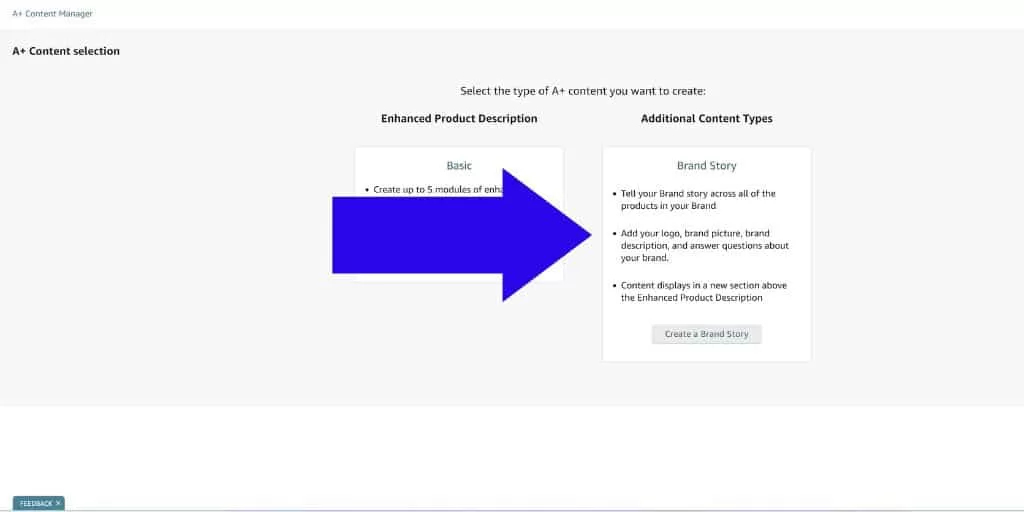
The Brand Story module spans full screen width, establishing brand equity, mission statements, and catalog navigation carousels across your entire catalog:
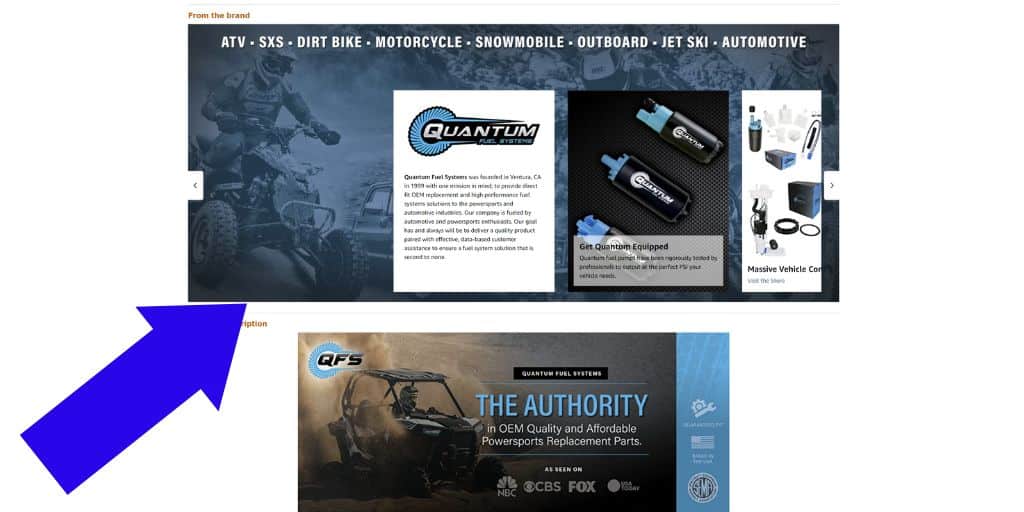
The Brand Story sits directly above standard A+ modules, anchoring brand positioning before diving into product-specific specifications.
Implementing A+ Content represents the baseline requirement for enterprise Amazon Listing Optimization. Treating your detail page as a conversion-focused landing page yields immediate lifts in unit session percentages.
Amazon A+ Content Examples & Analysis
Evaluating real-world implementations reveals how high-growth brands structure A+ Content to maximize conversions. Consider this execution for Cambio Roasters:
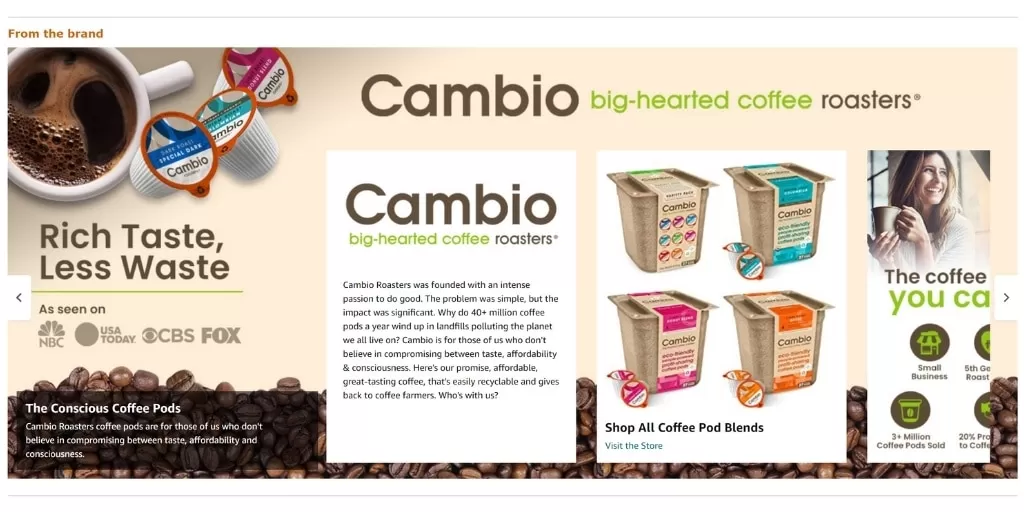
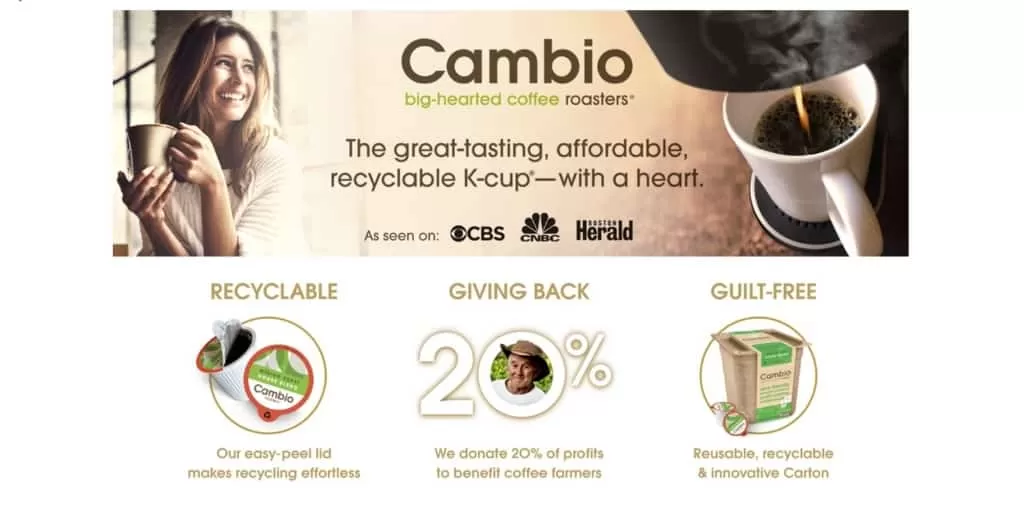
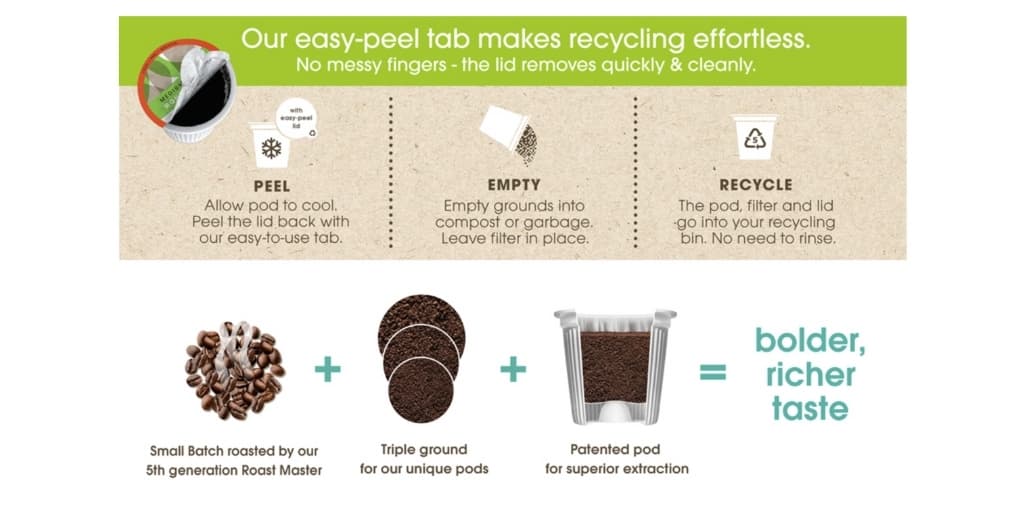
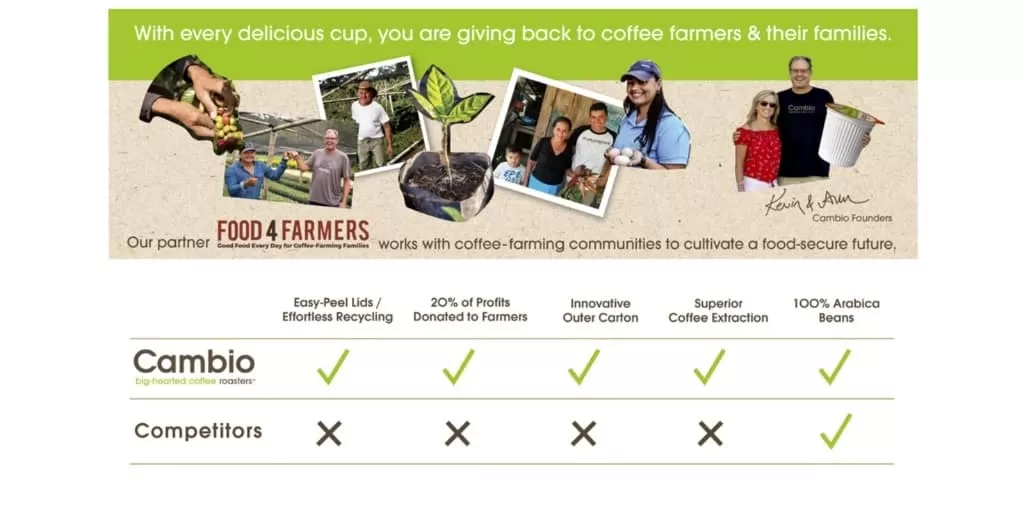
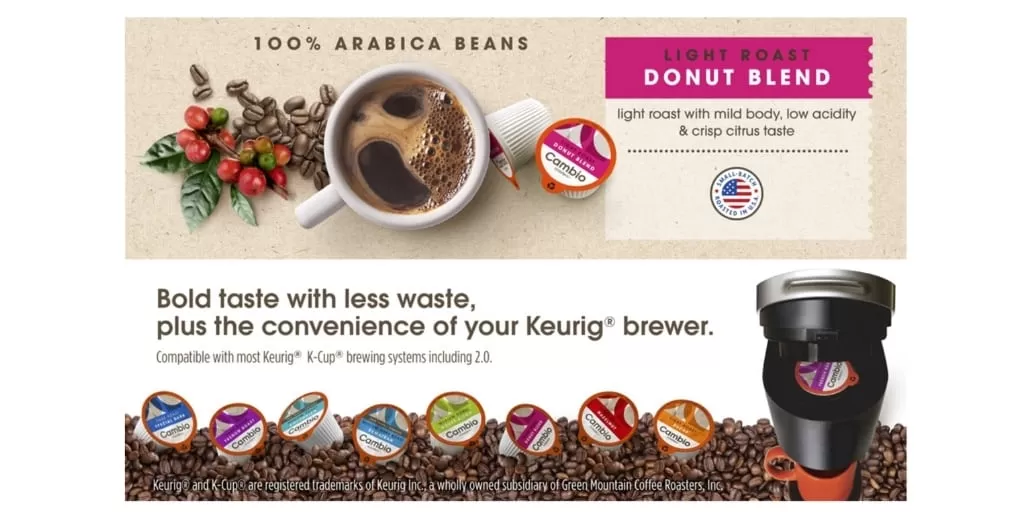
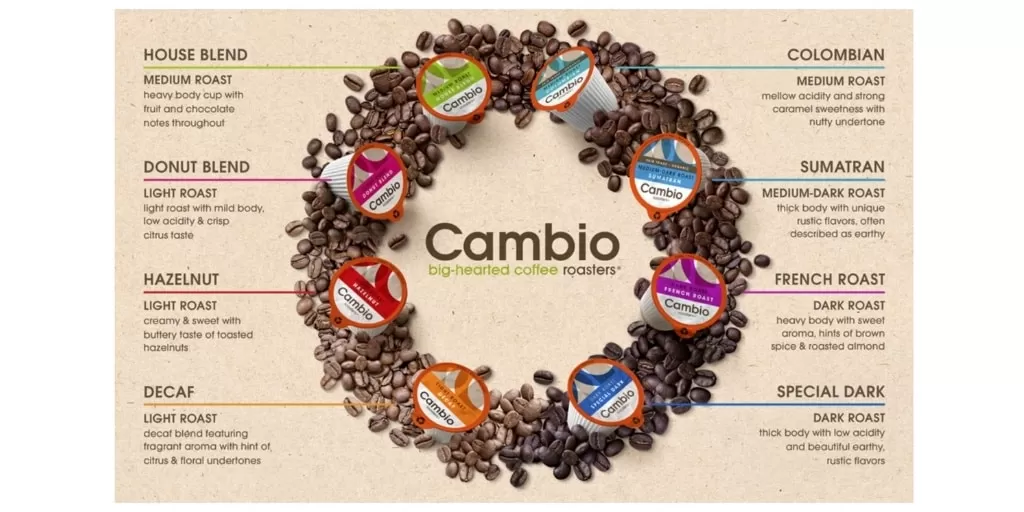
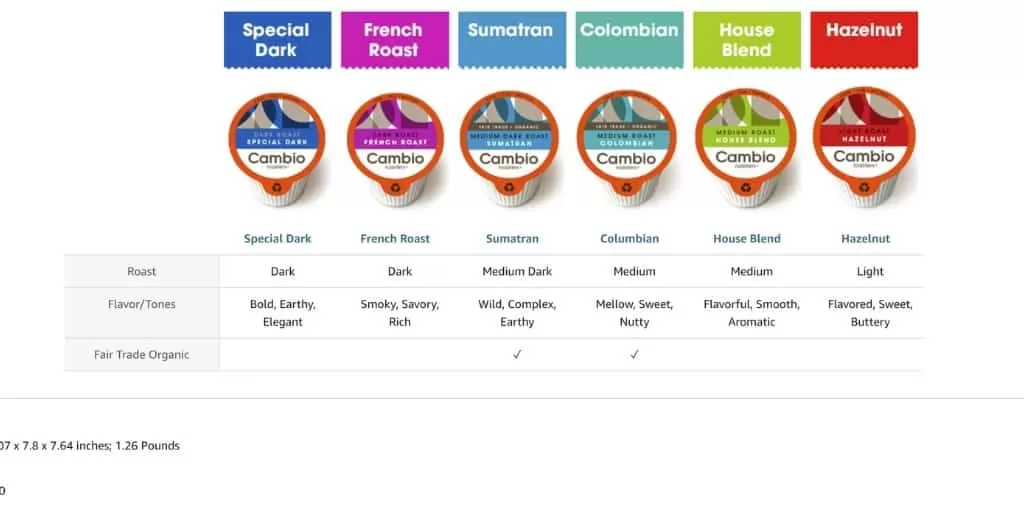
This layout begins with an immersive Brand Story module that anchors customer trust, highlights brand values, and links directly to the Brand Storefront.
The primary module uses a Standard Image Header (970 x 600 px) featuring high-contrast graphics and media badges (“As Seen On”) to immediately establish credibility.
Subsequent modules highlight core value drivers, addressing common buyer objections and detailing social impact initiatives. The sequence concludes with an interactive horizontal comparison chart that cross-sells complementary catalog SKUs.
Note: Because mobile shoppers skim visual content rapidly, designing high-contrast image graphics with embedded text delivers substantially higher conversion rates than relying on plain body text fields. Always include relevant alt text behind images to capture backend keyword indexing.
What is Amazon Premium A+ Content?
Premium A+ Content (A++ Content) provides expanded screen real estate, interactive hover modules, and video integration to capture shopper attention.
Eligibility Criteria for Premium A+ Content:
- Active enrollment in Amazon Brand Registry.
- A published Brand Story module applied across 100% of catalog ASINs.
- At least 15 approved standard A+ Content project submissions within the past 12 months.
- Access is granted automatically at the end of each calendar month upon meeting criteria.
Premium A+ Content Investment & Placement:
- Cost: Free for qualifying Brand Registered Sellers and Vendors.
- Placement: Displays within the “From the Manufacturer” section on desktop and mobile detail pages.
Core Premium A+ Modules:
1. Interactive Hover Hotspots
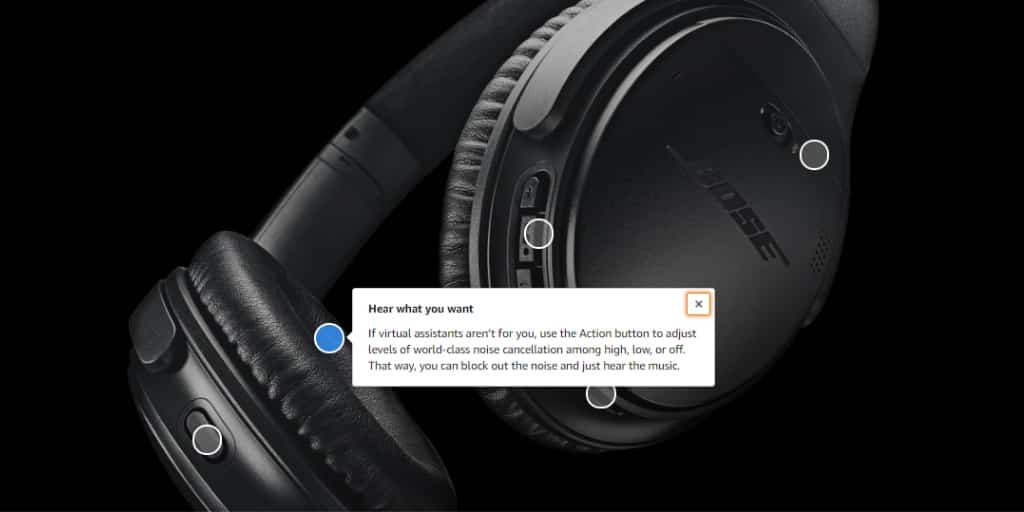
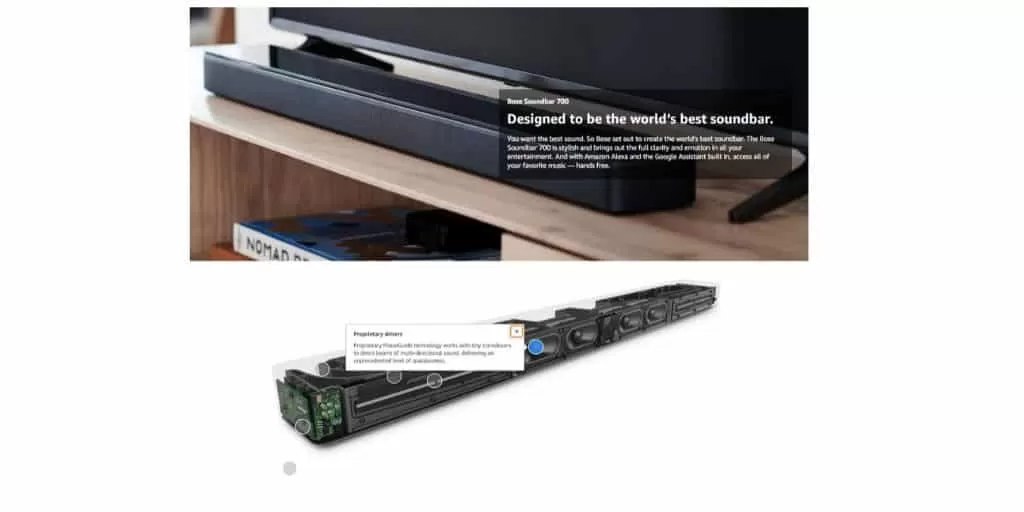
Interactive hotspot modules encourage shoppers to click specific product features to reveal detailed callout cards, deepening engagement.
2. Interactive Carousel Sliders

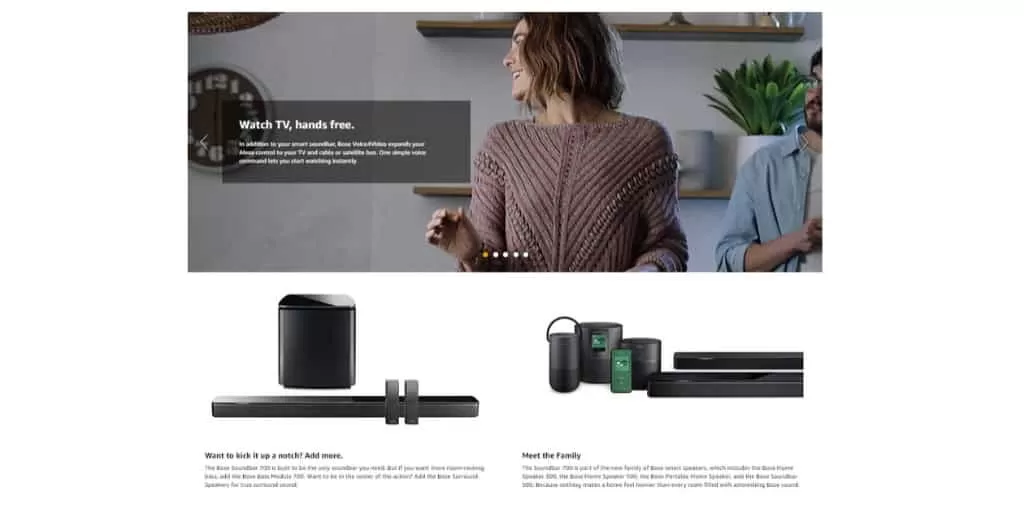
Full-width carousel galleries allow buyers to swipe through lifestyle use cases and color variations seamlessly.
3. Embedded Video Modules
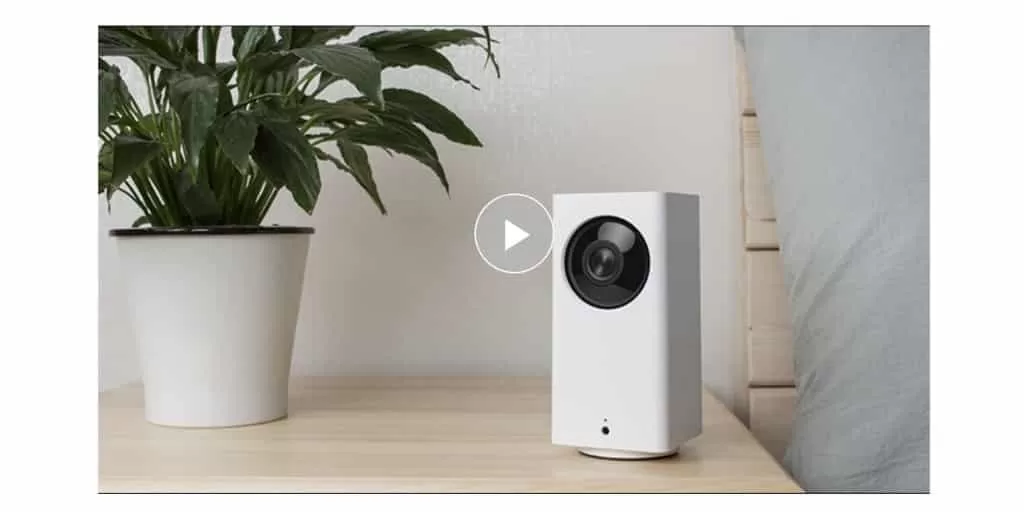
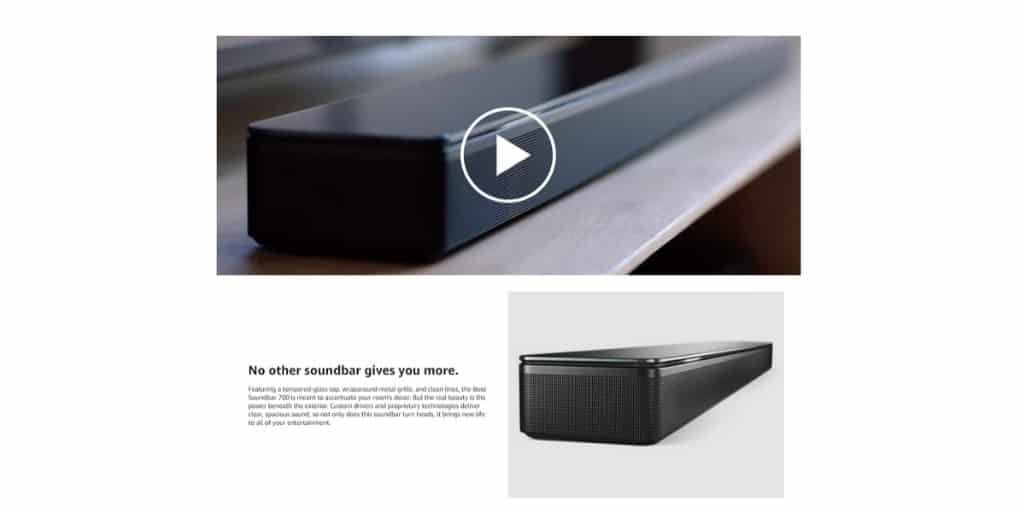
HD video modules play demonstration clips directly within the page flow, hooking viewers and proving product utility visually.
4. Interactive Accordion FAQs
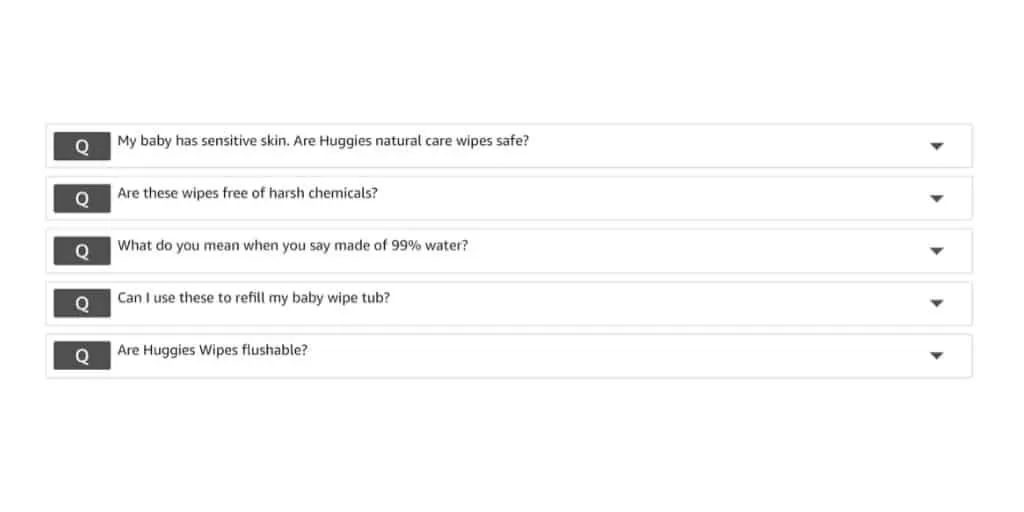
Interactive FAQ accordions address top buying objections and customer questions directly, preventing shoppers from leaving the listing.
5. “What’s in the Box” Visual Breakdown
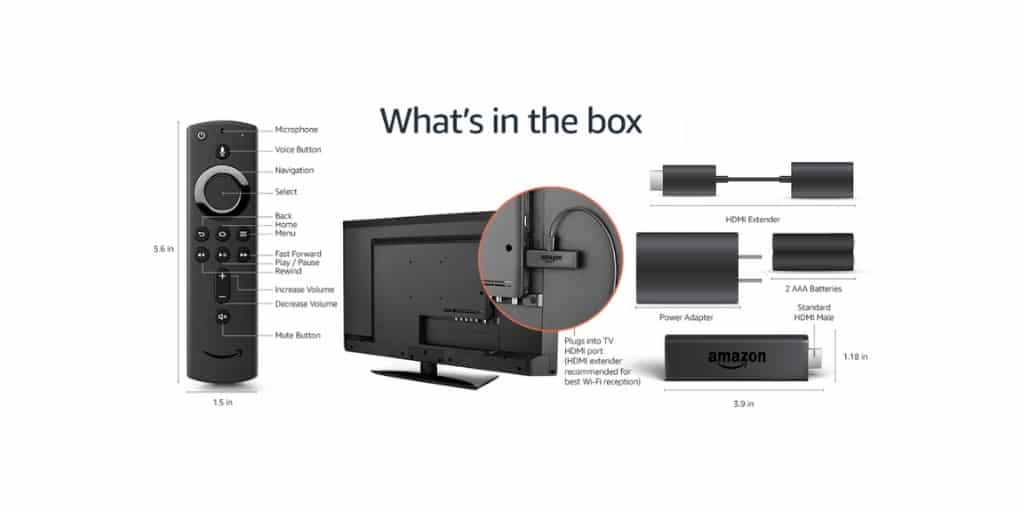
Explicating exact box contents eliminates pre-purchase uncertainty and increases perceived value.
6. Comparison Matrices with Direct Add-to-Cart Buttons
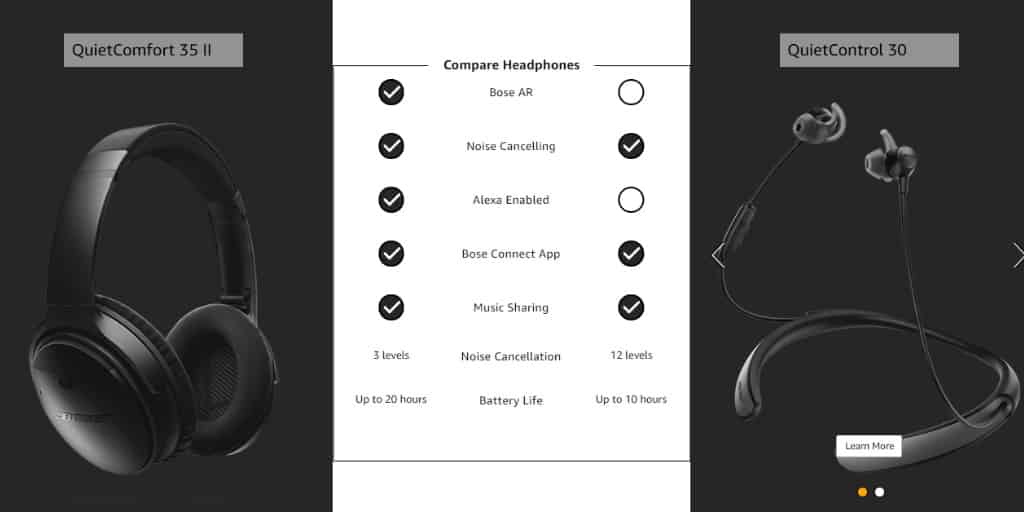
Interactive comparison tables allow shoppers to compare specifications and add alternate catalog items directly to their cart.
Premium A+ Content Execution Example
Reviewing full-page Premium A+ Content implementations illustrates how combining interactive modules creates an immersive buyer experience:
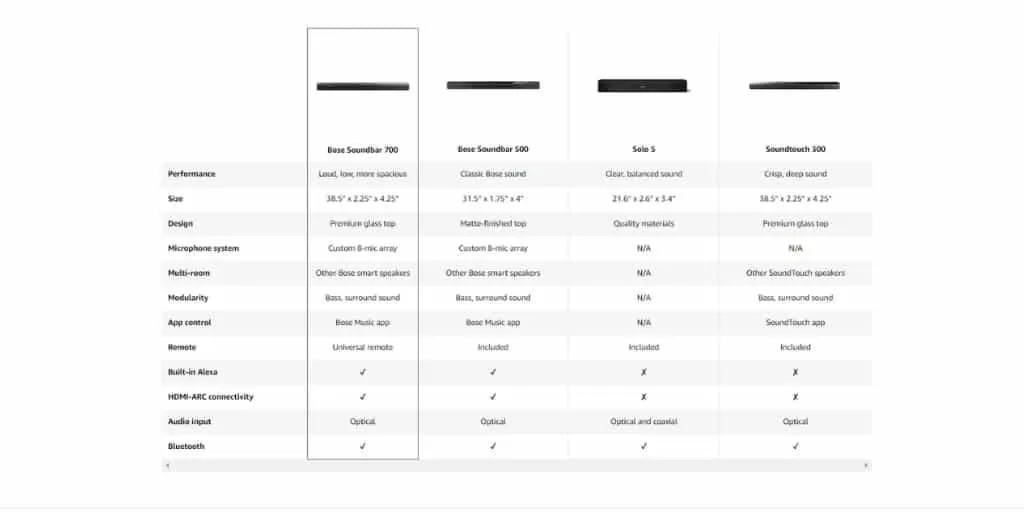
Who Can Publish Amazon A+ Content?
Standard A+ Content is available to all 3P Seller Central sellers enrolled in Amazon Brand Registry and 1P Vendor Central vendors. If the A+ Content Manager link is missing under Advertising navigation, verify brand assignment settings with Seller Support.
Benefits of Deploying A+ Content
- Unit Session Percentage Lifts: Amazon studies indicate A+ Content drives average conversion rate increases of 3% to 10%.
- Expanded Review Velocity: Higher conversion rates and detailed onboarding graphics generate higher volume and higher star-rating review averages.
- Multi-Channel SEO Indexing: Image alt text and structured text fields provide additional indexing signals for Amazon search algorithms and off-platform Google rankings.
- Lower Return Rates: Clarifying setup instructions and dimensions reduces buyer misunderstanding and lowers return rates.
Amazon A+ Content Module Dimensions
| Standard Module Format | Required Dimension Specs (Width x Height) |
|---|---|
| Standard Company Logo | 600 x 180 px |
| Standard Image Header with Text | 970 x 600 px (Primary Banner Format) |
| Standard Image & Text Overlay | 970 x 300 px |
| Standard 3 Images & Text | 300 x 300 px (per image) |
| Standard Single Left/Right Image | 300 x 300 px |
Premium A+ Content Module Dimensions
| Premium Module Format | Desktop Dimensions (WxH) | Mobile Dimensions (WxH) |
|---|---|---|
| Full Width Banner Image | 1464 x 600 px | 600 x 450 px |
| Full Width Video Thumbnail | 1464 x 600 px | Responsive Auto-Scale |
| Premium Dual Images with Text | 650 x 350 px | Responsive Auto-Scale |
| Premium Single Image with Text | 800 x 600 px | Responsive Auto-Scale |
How to Build A+ Content Step-by-Step
The Ideal A+ Content Module Stack
Standard Header with Text (970×600)
Retain traffic within your brand ecosystem
Constructing A+ Content inside Seller Central follows a structured workflow:
Step 1: Access the A+ Content Manager
Inside Seller Central, navigate to Advertising > A+ Content Manager:
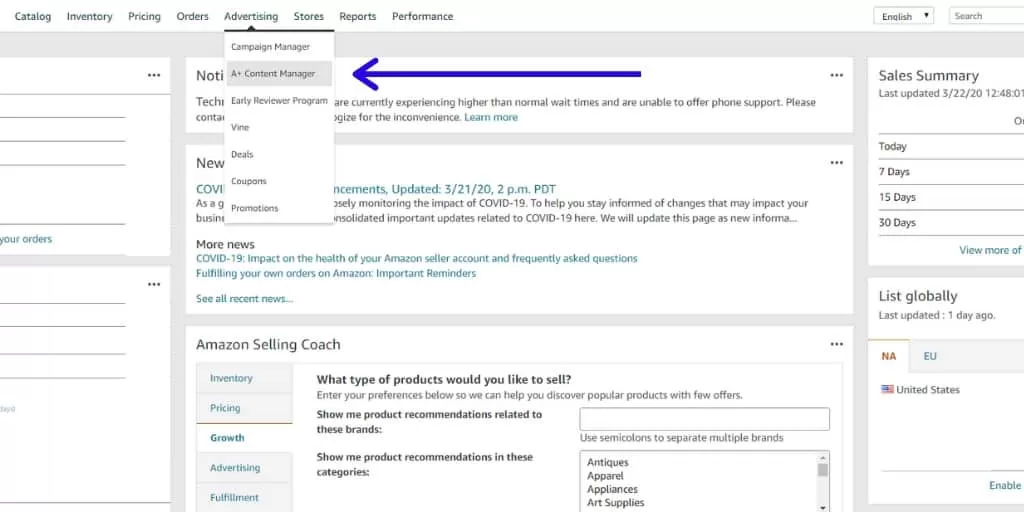
To qualify for Premium A+ Content eligibility, configure your Brand Story module first:
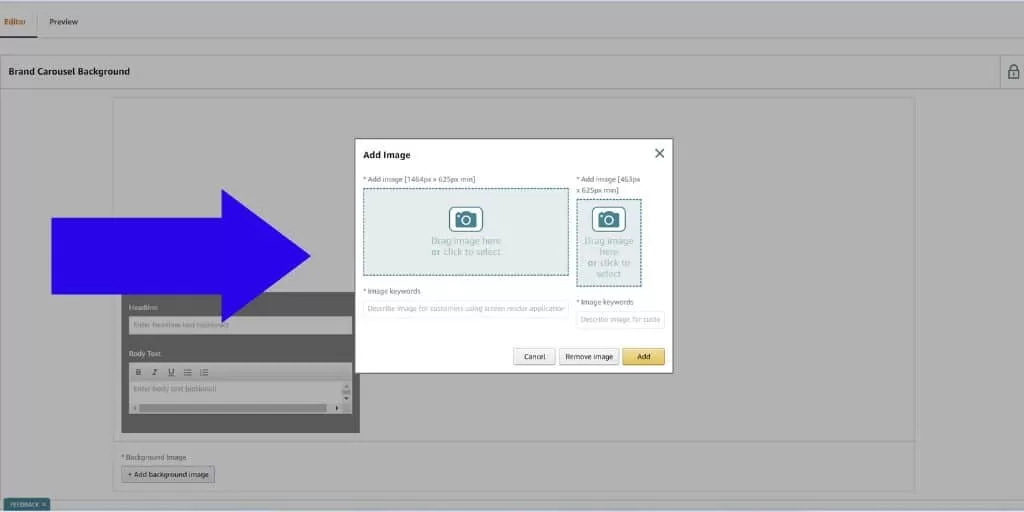
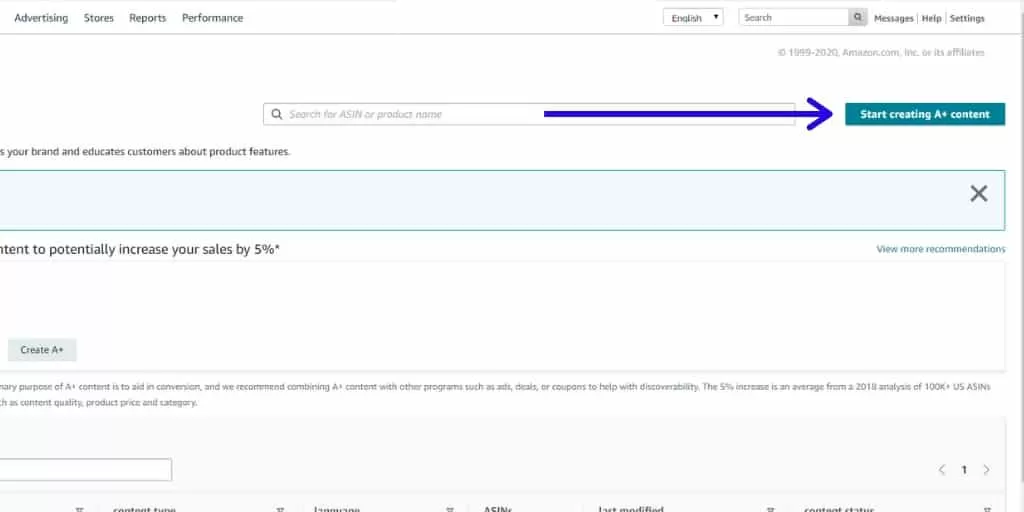
Step 2: Initiate Project Creation
Click Start Creating A+ Content and select standard or brand story format:
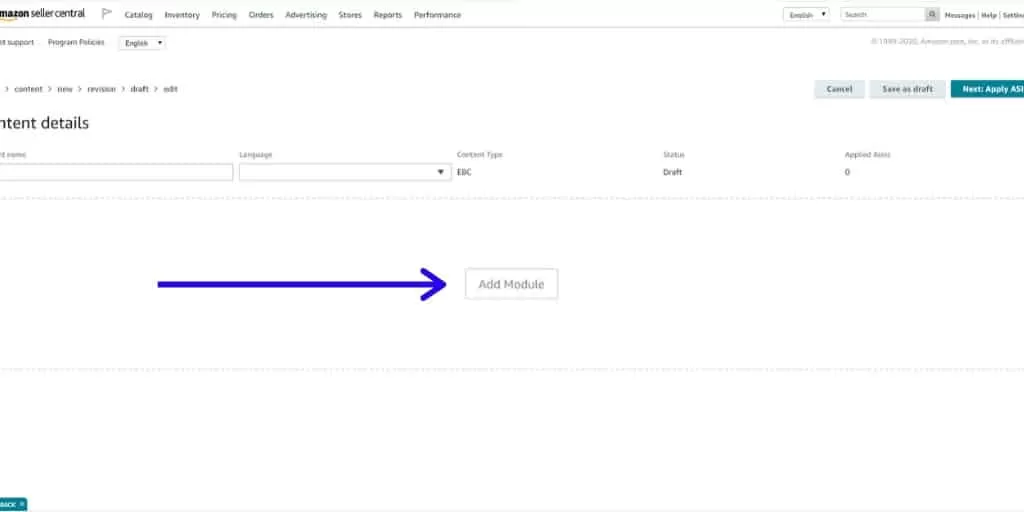
Step 3: Select Module Options
Click Add Module to select layout blocks:
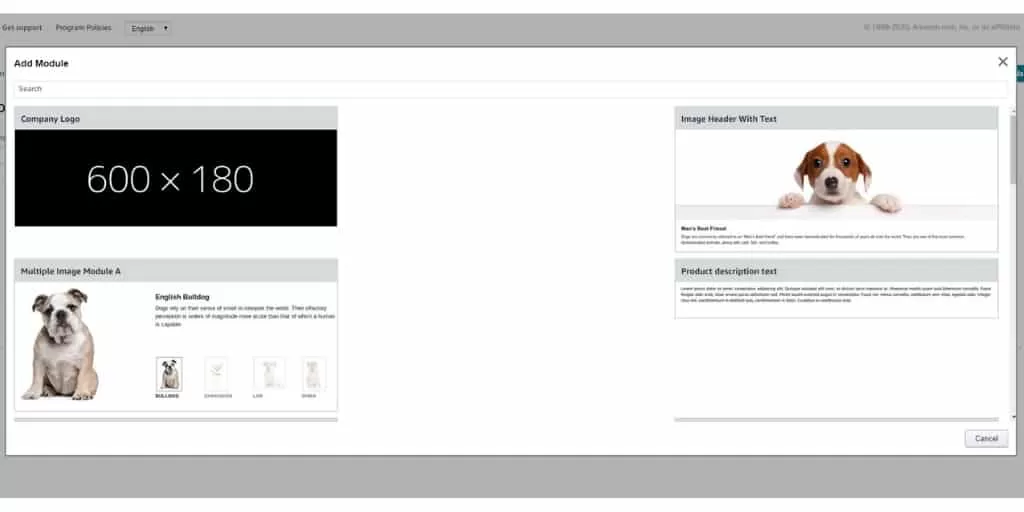
Step 4: Upload Assets and Apply ASINs
Upload prepared image assets, input descriptive alt text keywords, assign target ASINs, and submit for review. Approvals typically complete within 24 to 72 hours.
The High-Converting A+ Content Wireframe
Structuring your A+ Content layout requires sequencing information according to buyer psychology:
Brand Story Module
Hero Banner / Value Proposition / PR & Trust Badges
(Illustrate the aspirational outcome of ownership)
Target Audience Callout & Core Use Cases
Before & After Transformation / Old Way vs. New Way
(Demonstrate clear product efficacy)

![Seller Central vs Vendor Central [COMPARISON]](https://www.sourceapproach.com/wp-content/uploads/2026/02/Amazon-Seller-Central-vs-Amazon-Vendor-Central-The-Source-Approach-eCommerce-Fractional-CMO-Amazon-Consultant-eCommerce-Consultant.png)
![How To Drive External Traffic To Amazon Listings [GUIDE]](https://www.sourceapproach.com/wp-content/uploads/2025/07/How-To-Drive-External-Traffic-To-Amazon-Featured-Image-The-Source-Approach-Amazon-Consultant-eCommerce-Consultant-Fractional-CMO.png)
![How to Switch From FBA to FBM [Step By Step]](https://www.sourceapproach.com/wp-content/uploads/2025/07/How-to-Switch-From-FBA-to-FBM-The-Source-Approach-Amazon-Consultant-eCommerce-Consultant-Fractional-CMO.png)



![Amazon Storefront Design Templates [EXAMPLES]](https://www.sourceapproach.com/wp-content/uploads/2023/11/Amazon-Storefront-Templates-Source-Approach-Amazon-Consultant-eCommerce-Consultant-Fractional-CMO.png)